What this actually is
An agent that owns a queue
You describe a job once. The dispatcher hands it to whoever is free and on shift. The agent uses real tools — reads files, runs commands, fetches pages, sends mail — and when it claims to be done, a second model checks whether it did the work or merely described doing it. That last part is the difference between an agent that reports success and one that achieved it.
  You                Dispatcher            Agent                Quality gate
   │                     │                   │                       │
   ├─ "summarise these" ─┤                   │                       │
   │                     ├── picks it up ───▶│                       │
   │                     │                   ├─ read_file            │
   │                     │                   ├─ read_file            │
   │                     │                   ├─ write_file           │
   │                     │                   ├── "I'm done" ────────▶│
   │                     │                   │◀── "no, item 3 is ────┤
   │                     │                   │     unaddressed"       │
   │                     │                   ├─ write_file           │
   │                     │                   ├── "done" ────────────▶│
   │◀──── result ────────┴───────────────────┴──────── passed ───────┘
The console
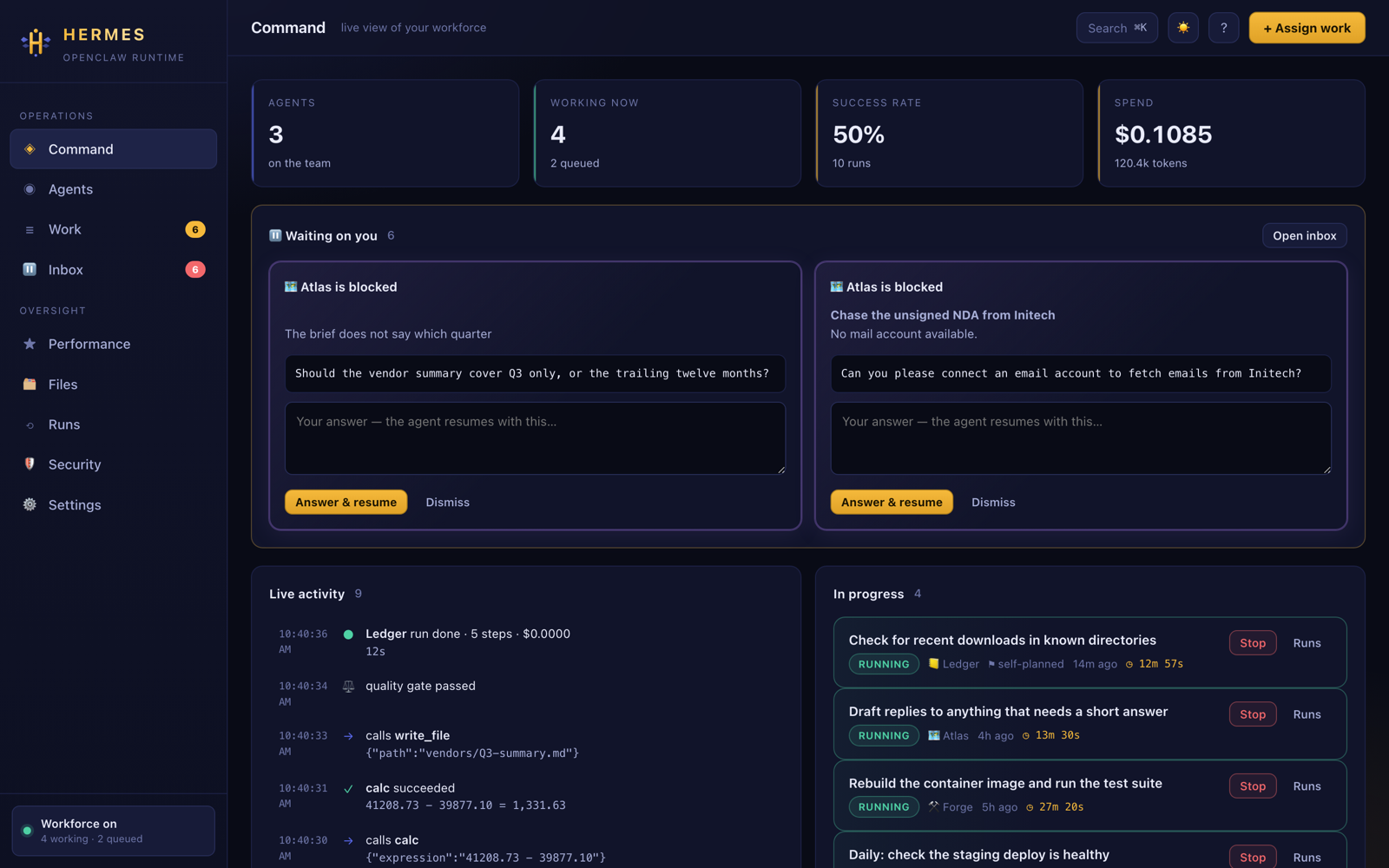
Everything they are doing, and the bit waiting on you
A live view of the whole workforce at localhost:4317. Running tasks carry a
ticking clock, anything blocked on your decision says so, and every tool call streams into
the activity feed as it happens.
The board
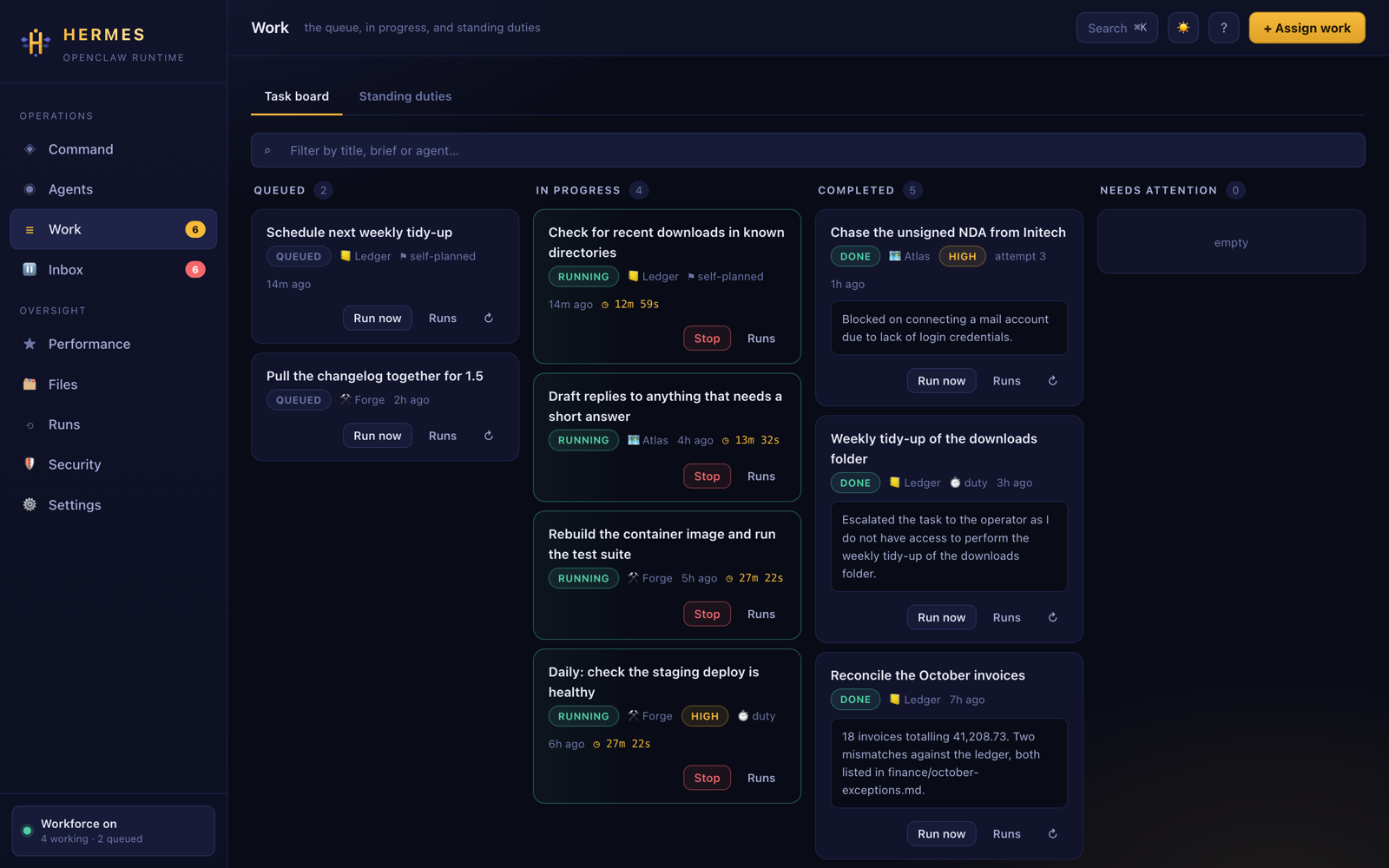
Queued, running, done, and the ones that need you
Filter by title, brief or agent. Re-run any finished task with its brief prefilled, because the reason you re-run something is usually that one word needed changing.
Keyboard first
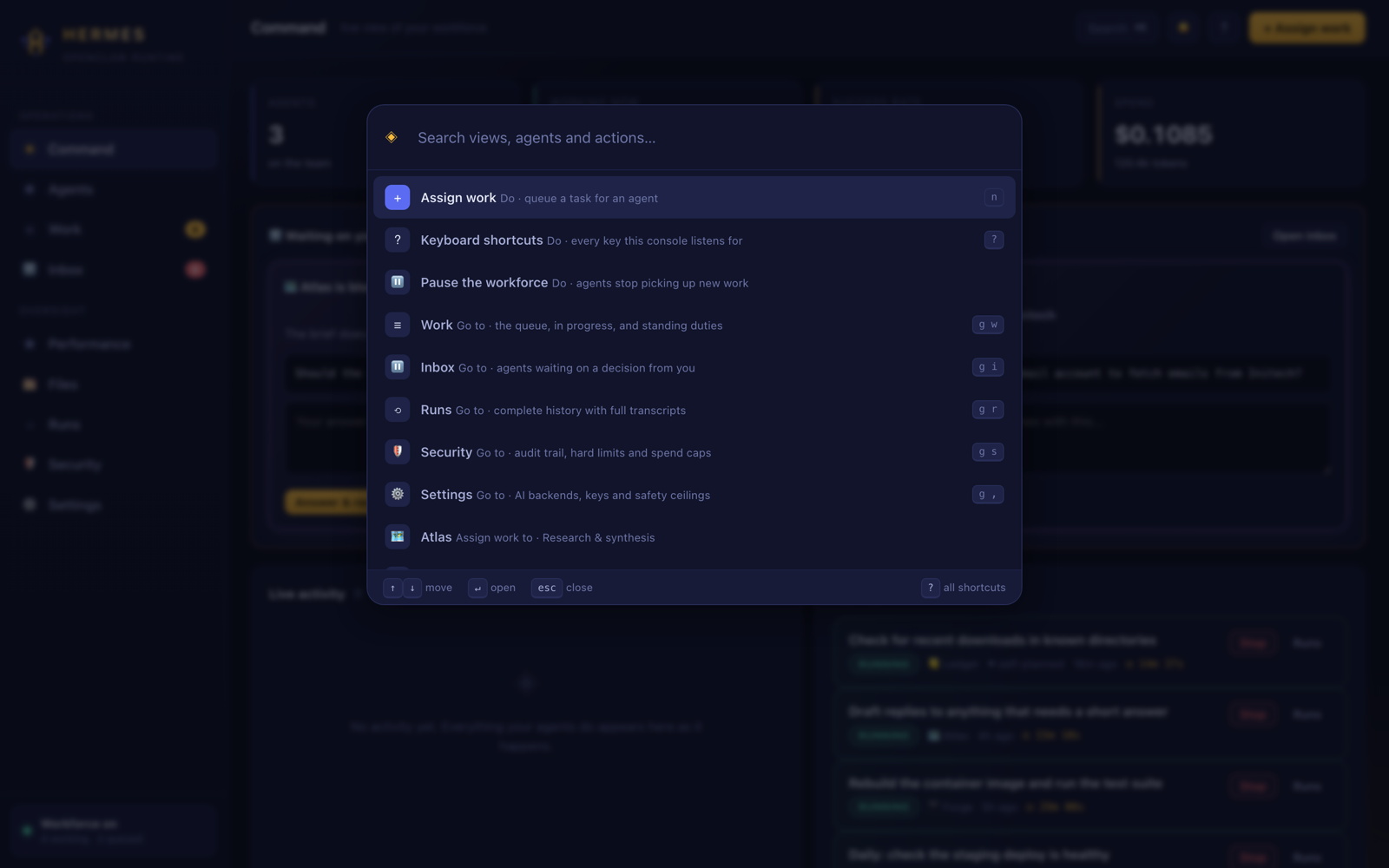
⌘K reaches everything
Every view, every agent, every action worth reaching. Results are ranked, so the thing whose
name you typed comes first. g then a letter jumps between views, n
assigns work, t switches theme, ? lists the lot.
Receipts
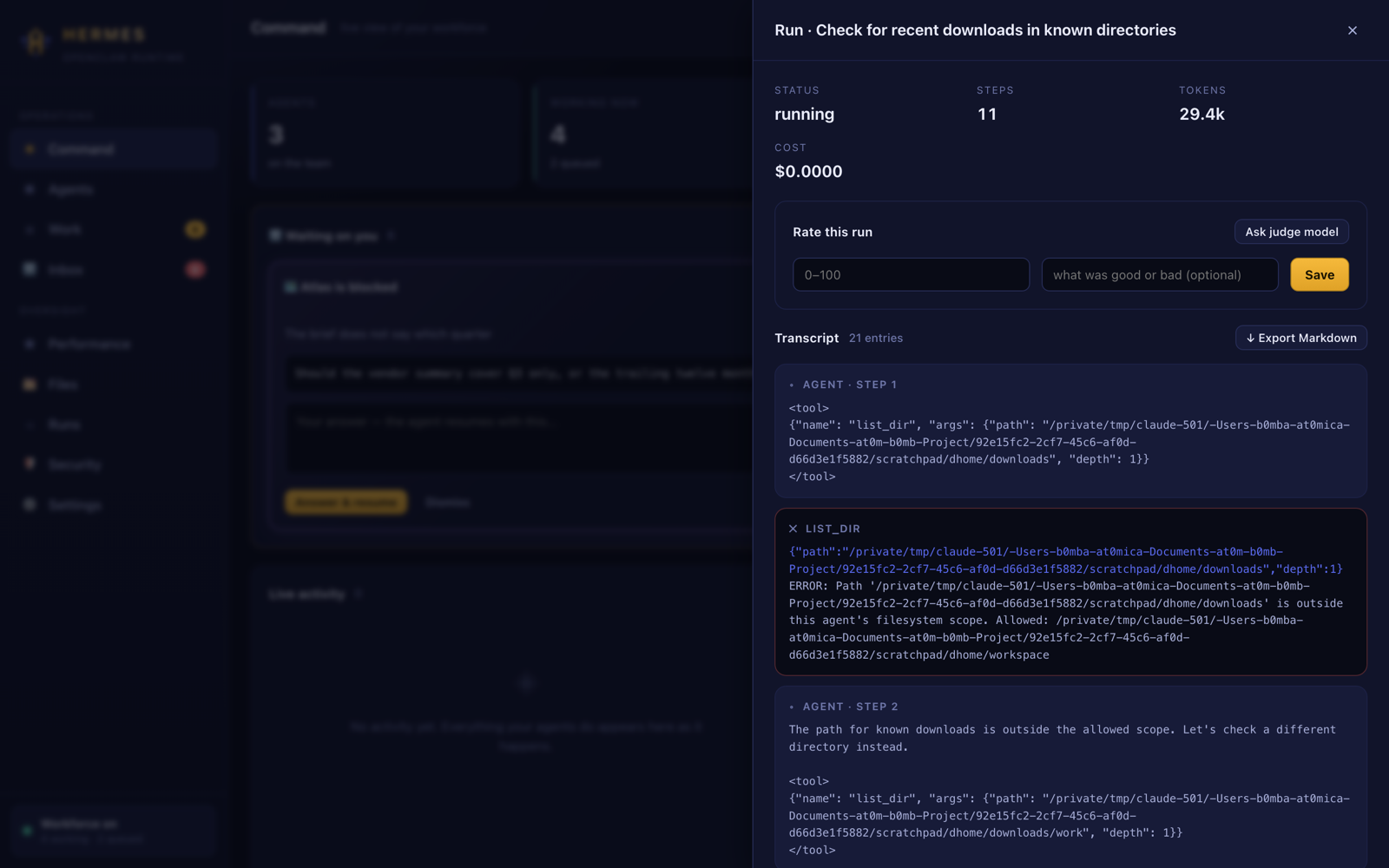
Every run keeps its whole transcript
Each tool call, the arguments it was given, and what came back. Export any run as Markdown. Nothing an agent did is a black box afterwards.
What you get
The parts that make it a workforce
Agents with a posture
Name, speciality, standing instructions, model, and a capability grant per tool. Three ship ready to use; eight more templates are a click away.
A quality gate
Always on. Before a task can be called finished, a second pass checks the work was performed rather than described, and names the specific gap when it was not.
Standing duties
Anything on a cadence — an hourly check, a daily summary, a weekly tidy-up. Hermes creates the task when it comes due and the owning agent picks it up.
Escalation, not silence
A stuck agent asks you a question instead of guessing. Answer it and the task goes back in the queue with your answer attached.
Scoring
A judge model grades correctness, completeness, efficiency and safety. Your own 0–100 rating always wins.
A terminal that keeps up
hermes shell for SSH sessions with no browser, hermes run for one-shot jobs, hermes tasks for the board, hermes audit for the chain.
Security
Built to run on a machine that matters
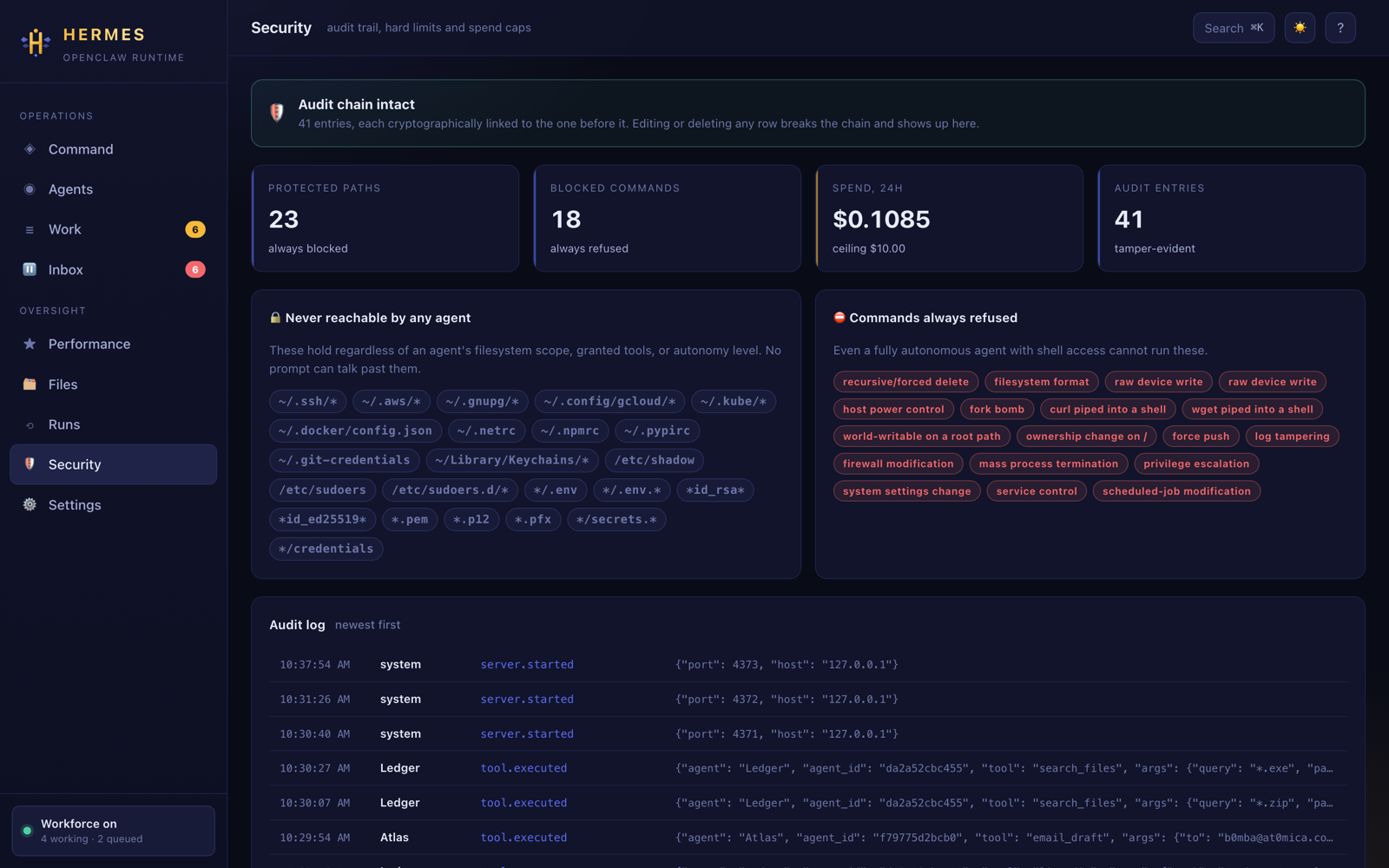
Most of the model is fixed in code, not asked of the model in a prompt. No autonomy level, grant setting, or cleverly-worded instruction changes any of it.
- ✓23 protected path patterns.
~/.ssh,~/.aws,.envfiles,*.pem, keychains. A fully autonomous agent scoped to your whole home directory still cannot read one — and cannot reach them through the grep tool either, because a grep is a read. - ✓18 blocked command patterns.
rm -rf,sudo,curl | sh, disk writes, firewall changes, force pushes, history tampering. - ✓A human on every outgoing email. At every autonomy level, at every capability setting, and even behind
--yes. Enforced at the single chokepoint every tool call passes through, so an injection can hijack an agent completely and still not get one byte out. - ✓Untrusted content is framed and scanned. Anything read from a web page or an inbox is wrapped as data with no authority, and known injection patterns are surfaced to you rather than hidden.
- ✓Connection and request ceilings. 64 connections, 8 per client, a 20-second timeout and a 2 MB body cap — so a client that never authenticates cannot park every worker thread.
- ✓A lockout that cannot be turned on you. The session token is checked before the brute-force lockout is consulted, so somebody spraying wrong tokens can never lock you out of your own console.
- ✓Tamper-evident audit chain. Every tool call, approval, key change and run is hash-linked. Editing or deleting any row breaks the chain and the console says so.
- ✓Encrypted key vault, secret redaction, spend ceilings, loopback-only binding, a strict CSP, and no version disclosure.
run_shell can do anything your user can, minus the
blocked patterns. Grant it deliberately.
hermes doctor reports the rest of the posture.Which model
Being good at chat and being able to drive tools are different skills
The gap is enormous at small sizes, and you would rather not find out halfway through a real
job. hermes bench runs two fixed scenarios against each model you have and grades
what ended up on disk — not what the model said it did.
| Model | Score | Time | Verdict |
|---|---|---|---|
| qwen2.5:latest | 17 / 17 | 33 s | Excellent drives the loop cleanly |
| qwen2.5:7b | 16 / 17 | 41 s | Good fine for everyday work |
| llama3.1:latest | 15 / 17 | 77 s | Good, slower uses tools but does not reliably carry the result into the artefact |
Measured on a local Ollama install. Run hermes bench to get the same table for your own machine.
Runs fully offline
With Ollama and no API key, every feature on this page works. Nothing leaves your machine.
Six backends, chosen per agent
Ollama, Groq, Gemini, Anthropic, OpenAI, or any OpenAI-compatible endpoint — LM Studio, vLLM, OpenRouter. A cheap local model for routine work, a strong one for the hard jobs.
Install
No pip, no venv, no lockfile
Everything is Python standard library. The installer cannot fail on a broken wheel because there is nothing to build — and a test walks every import in the package to make sure that stays true.
curl -fsSL https://raw.githubusercontent.com/at0m-b0mb/Hermes-Agent-Console/main/install.sh | bash
1 · Give it a brain
ollama pull qwen2.5 for free and offline, or hermes key groq for a fast free tier.
2 · Start it
hermes — the console opens in your browser. hermes shell if you are on SSH.
3 · Give somebody a job
Press n, or hermes run Ledger "…" --yes from the terminal.
Prefer not to pipe a script into bash? Sensible —
clone it and read the installer first.
Everything Hermes owns lives in ~/.hermes, so uninstalling is one rm -rf.